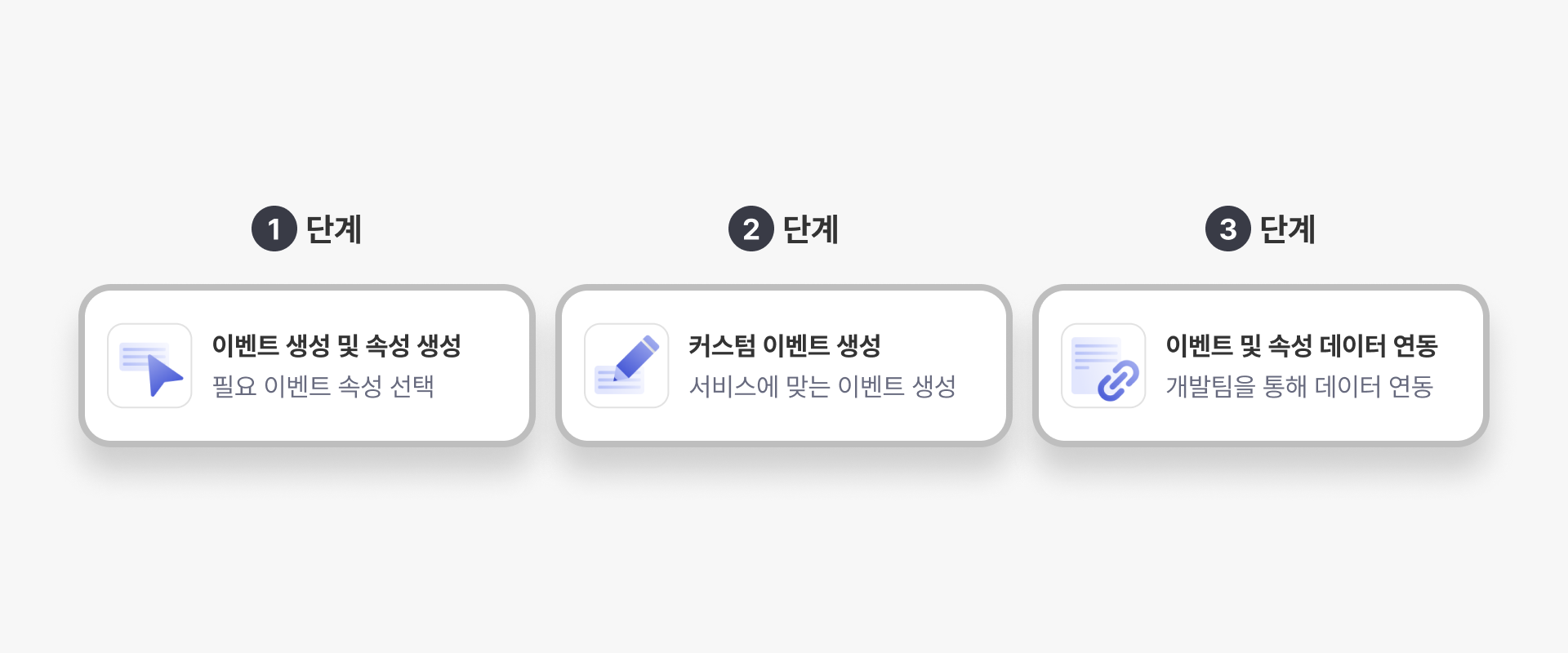
| Standard Events | Create by selecting the required event | |
Standard event properties Create by selecting the required event properties | ||
| Standard User Profile Properties | Create by selecting the required standard user profile attributes |
| Create custom events tailored to your service's needs | ||
| Create custom event properties to suit your service's needs | ||
| Create custom user profile attributes to suit your service's needs |
| Events and properties registered in steps 1 and 2 are linked to actual data through the development team |
| Event/Property Name | Notation Name | Explanation |
|---|---|---|
| df_sign_up | Join the membership | Action taken by a user to sign up as a member of a service |
| df_logout | Log out | Action taken by the user to log out of the app |
| df_login | Log in | The action of a user logging into the app |
| df_add_payment_info | Enter purchase information | Action taken by the user to enter purchase information |
| df_view_cart | View Cart | Action taken by the user to view the shopping cart |
| df_remove_cart | Delete Cart | Action taken by a user to remove a product from the shopping cart |
| df_view_list | View product list | Action taken by the user to view a list of products |
| df_share_product | Share this product | Actions by product users to share products |
| df_view_search_result | Search for products | The action of a commercial user searching for a product and checking the results |
| df_refund | Cancel Order | Action taken by the user to cancel an order |
| df_add_to_wishlist | Add to Wishlist | Action taken by a user to add a product to their interest list |
| df_add_to_cart | Put in a shopping cart | The action of a user adding a product to the shopping cart |
| df_view_product_details | View product details | An action taken by a user to view detailed information about a specific product |
| df_view_home | View Home Screen | The action taken by a user to view the home screen of an app or web |
| df_purchase | Purchase | The action of a user purchasing a product or service |
| df_end_session | Session End | Action that terminates a session (SDK only) |
| df_start_session | Running a session | Actions that run a session (SDK only) |
| Event/Property Name | Notation Name | Data Type | Explanation |
|---|---|---|---|
| df_delivery_charge | Shipping Fee | Double | Shipping charges applied to your order |
| df_payment_method | Payment Method | String | Payment method used for order |
| df_order_id | Order Number (ID) | String | A unique number or ID that identifies the order |
| df_sign_channel | Membership Channel | String | Channel used for membership registration |
| df_total_purchase_amount | Order Total | Double | Total amount of order |
| df_total_refund_amount | Total refund (cancellation) amount | Double | Total refund or cancellation amount for your order |
| df_discount | Product Discount Price | Double | Discount applied to product |
| df_sharing_channel | Product sharing channel | String | Channels used to share products |
| df_keyword | Search Keywords | String | Search keywords used at the time the order was placed |
| df_items | Goods | List of Object | An array containing information about each product |
| df_items.[n].df_item_id | Product Number (ID) | String | A unique number or ID that identifies each product in the df_items sub-attribute |
| df_items.[n].df_item_name | Product name | String | The name of each product in the sub-attribute of df_items |
| df_items.[n].df_quantity | Product Quantity | Long | The order quantity for each product in the sub-attribute of df_items |
| df_items.[n].df_price | Product unit price | Double | Unit price of each product in the sub-attribute of df_items |
| df_items.[n].df_discount | Product Discount Price | Double | Discount applied to the sub-attribute product of df_items |
| df_items.[n].df_category1 | Product Category 1 | String | Attribute for classifying multiple categories of products in df_items' sub-attributes |
| df_items.[n].df_category2 | Product Category 2 | String | Attribute for classifying multiple categories of products in df_items' sub-attributes |
| df_items.[n].df_category3 | Product Category 3 | String | Attribute for classifying multiple categories of products in df_items' sub-attributes |
| df_items.[n].df_category4 | Product Category 4 | String | Attribute for classifying multiple categories of products in df_items' sub-attributes |
| df_items.[n].df_category5 | Product Category 5 | String | Attribute for classifying multiple categories of products in df_items' sub-attributes |
| Event/Property Name | Notation Name | Data Type | Explanation |
|---|---|---|---|
| df_name | Name | String | The user's name. Usually the real name or a nickname given by the user is stored. |
| df_gender | Gender | String (Enum) | It indicates the user's gender, and usually stores values such as female, male, or other. Supported values: Male, Female, NonBinary, Other |
| df_birth | Birth date | Datetime | This refers to the user's date of birth, and is usually stored in YYYY-MM-DD format or a general date format. |
| df_membership | Membership Level | String | It is mainly determined based on the user's activity or purchase history, and various benefits can be provided depending on the member. |
| df_age | Age | Long | A value calculated using date of birth information, usually stored as an integer. ※ This attribute is calculated when the date of birth is first collected, and is automatically calculated every month thereafter. |
| df_age_group | Age group | String (Enum) | This refers to information that groups the user's age by age group. ※ This attribute is calculated when the first date of birth is collected and is automatically calculated every month thereafter. Supported values: ~12 13~18 19~24 25~29 30~34 35~39 40~44 45~49 50~54 55~59 60~64 65~ |
| Event/Property Name | Notation Name | Data Type | Explanation |
|---|---|---|---|
| df_unified_id | Unified ID | String | An identifier that uniquely identifies a user by integrating various personally identifiable information into a single ID. |
| df_external_id | External ID | String | A unique ID identifier that follows all external system formats. ※ For security purposes, please link a unique number that is used for internal management purposes. (Ex. Even if the external ID is dfinery123, data linking is required, such as 1230102301.) |
| df_phone_no | Phone number | String | Phone number used as identifier |
| df_email | String | Email used as identifier | |
| df_kakao_user_id | Kakao ID | String | A unique identifier used in KakaoTalk Messenger and other Kakao services |
| df_line_user_id | Line ID | String | A unique identifier for users used in LINE Messenger or other LINE services |
| Event/Property Name | Notation Name | Data Type | Explanation |
|---|---|---|---|
| df_push_optin | Consent to receive push notifications | Boolean | Whether the user consents to receiving informational push notifications from applications or websites. Default: null |
| df_push_ads_optin | Consent to receive push notifications (advertisements) | Boolean | Whether the user consents to receiving promotional notifications via push messages from applications or websites. Default: null |
| df_sms_ads_optin | Consent to receive text messages (advertisements) | Boolean | Whether the user consents to receiving promotional notifications via SMS. Default: null |
| df_kakao_ads_optin | Agree to receive Kakao Friends Talk (Advertisement) | Boolean | Whether the user consents to receiving advertising notifications through Kakao messaging service. Only Kakao's 'Friend Talk' requires the advertising consent flag → Clearly specify the 'Friend Talk' channel. Default value: null |
| df_push_night_ads_optin | Consent to receive nightly push notifications (advertisements) | Boolean | Whether the user agrees to receive promotional notifications in the form of push messages at night (9 p.m. to 8 a.m. the next day). Default: null |
| Event | Notation Name | Explanation | Sub-attributes |
|---|---|---|---|
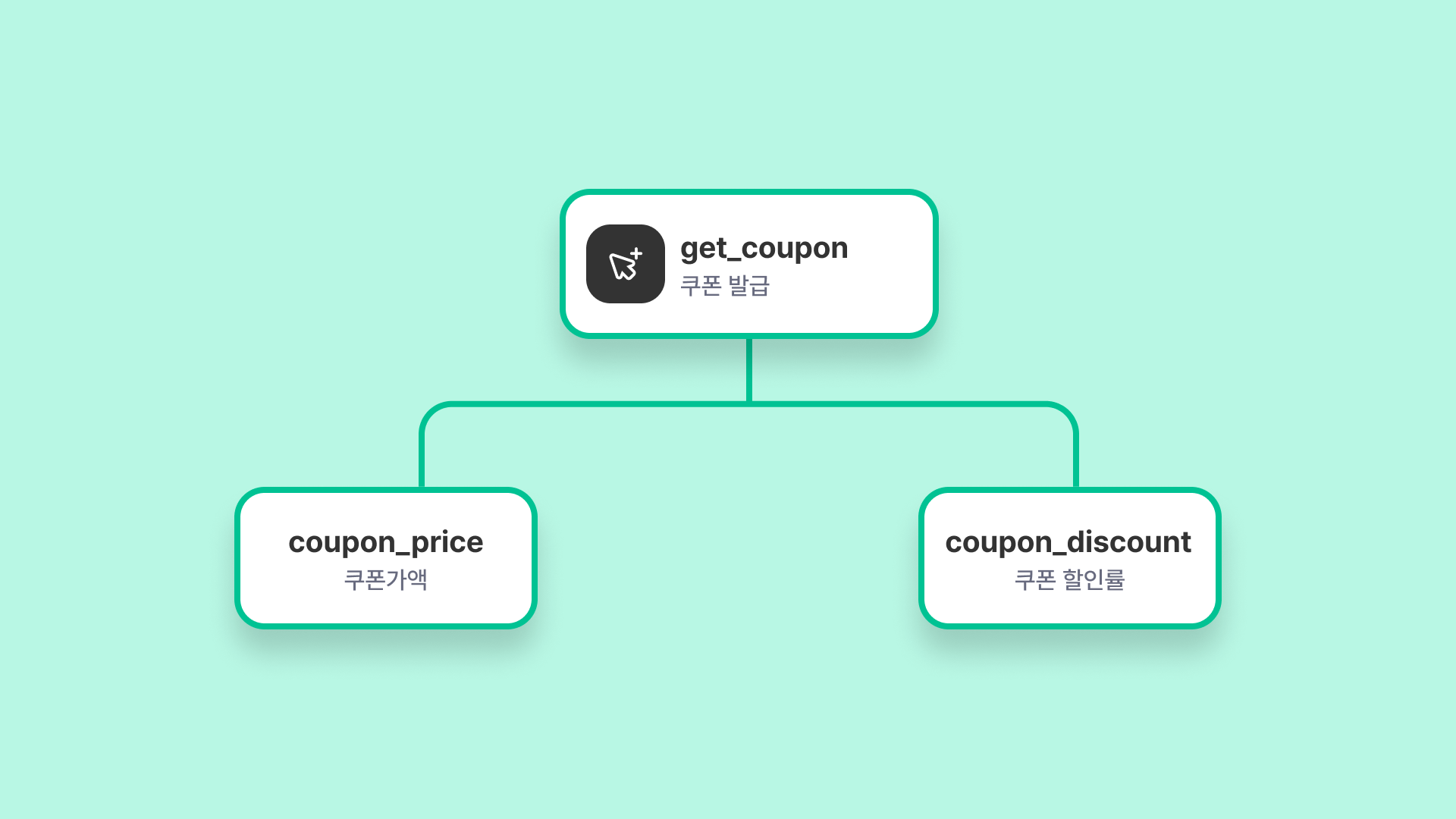
| get_coupon | Coupon issuance | User receives coupon | Coupon Amount |
| Coupon Discount Rate | |||
| remove_from_cart | Delete Cart | An action taken by a user to remove a specific product from the shopping cart. | Product Name |
| Product Price | |||
| Product Category | |||
| Product Brand | |||
| Product Color |
| Event | Notation Name | Explanation | Sub-attributes |
|---|---|---|---|
| open_account | Open an account | User completes account creation | Account name |
| Branch name | |||
| Whether or not a card is issued | |||
| issue_card | Card issuance | User receives card | Card name |
| Manager | |||
| Branch name | |||
| Limit |
| Event | Notation name | Explanation | Sub-attributes |
|---|---|---|---|
| order | Order food | User visits store and orders food | Order Menu |
| Order Amount | |||
| Store location area | |||
| Store name | |||
| order_in | Delivery Order | User orders food delivery | Order Menu |
| Order Amount | |||
| Order Area | |||
| Coupon Amount |
| Event | Notation Name | Explanation | Sub-attributes |
|---|---|---|---|
| 10000_steps | Completed 10,000 steps | User completed 10,000 steps | Time taken |
| Total steps | |||
| check_up | Health checkup | Users get health checkups and sync the results | Cautionary Items |
| Risk Items | |||
| Disease | |||
| self_report | Enter your own health information | Users enter their own health information | Key |
| Weight |
| Event | Notation Name | Explanation | Sub-attributes |
|---|---|---|---|
| tutorial_complete | Complete the tutorial | - | Acquisition Reward |
| Time taken | |||
| party_quest_complete | Party Quest Completed | - | Acquisition Reward |
| Time taken | |||
| Number of Church Monsters | |||
| Number of party members | |||
| Results Grade |